Applicable Scope
This guide applies to Gate Web
Before you start: Ensure you have a valid government-issued ID and proof of address documents ready
Estimated time: 10 m
Objective
This guide will walk you through how to complete KYC (Know Your Customer) identity verification on Gate Web.
Steps
Step 1: Access the Identity Verification Page
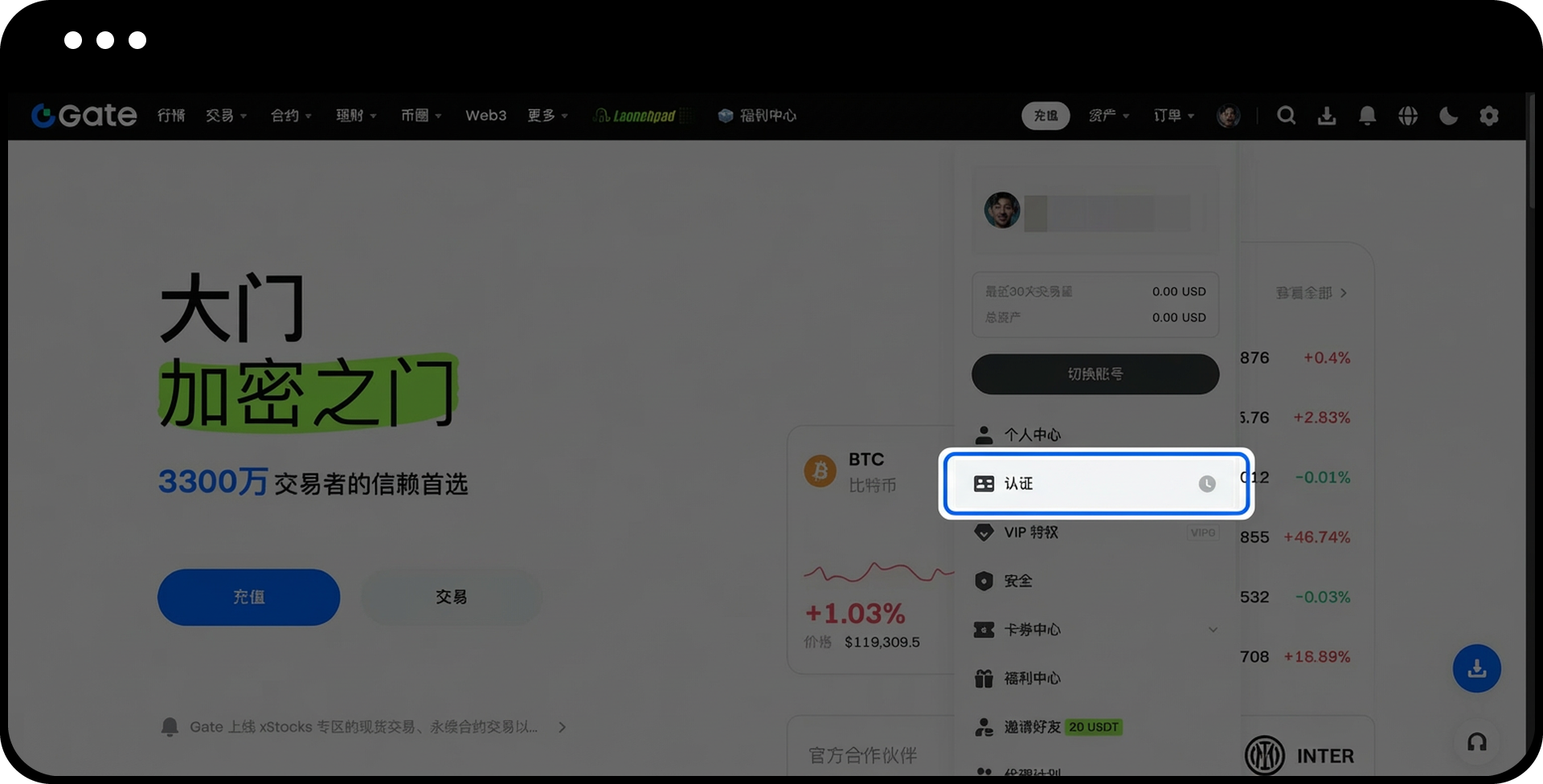
- Log in to your Gate account.
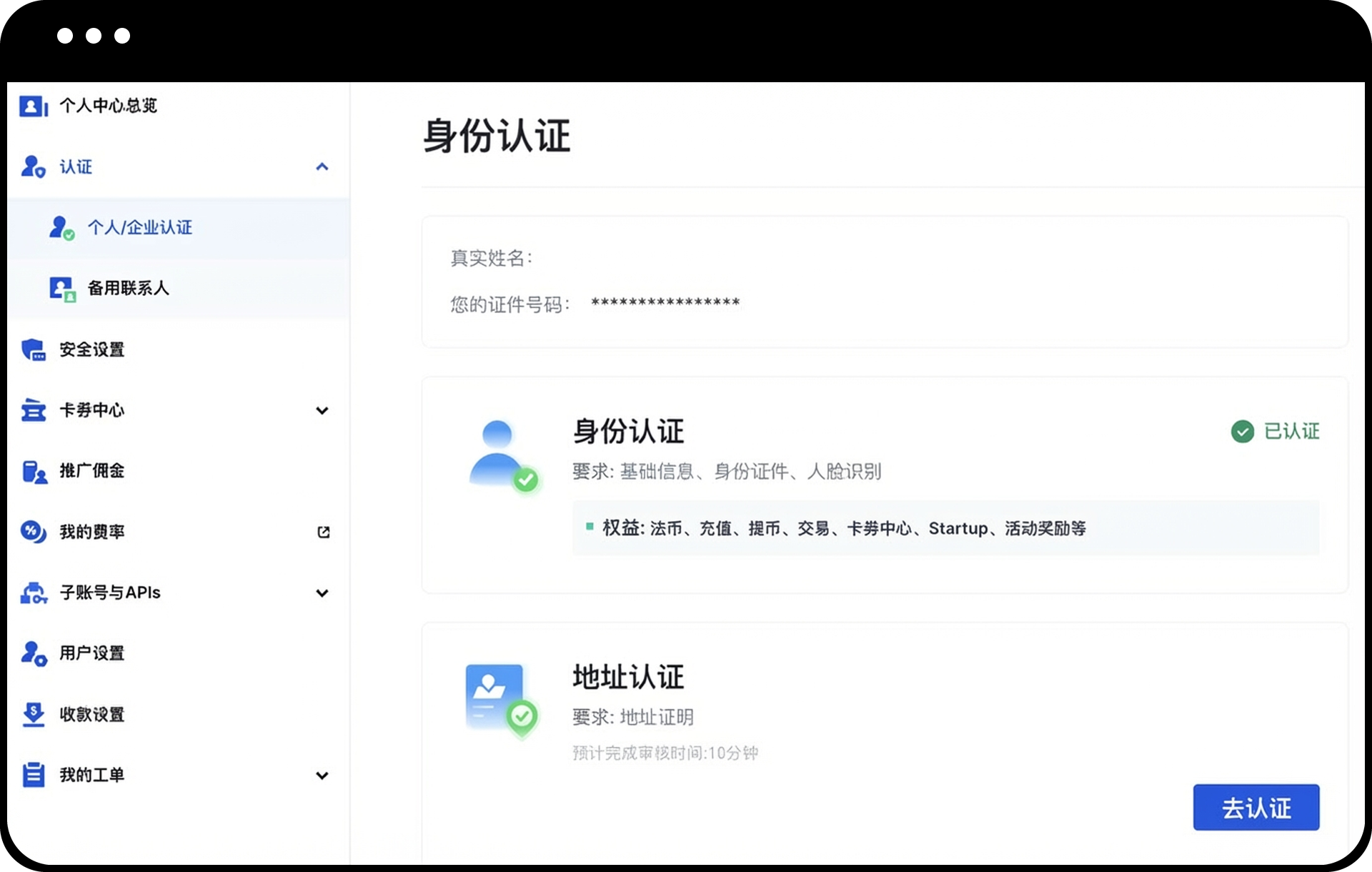
- Navigate to [Avatar] – [Identification] – [Personal/Corporate Verification].
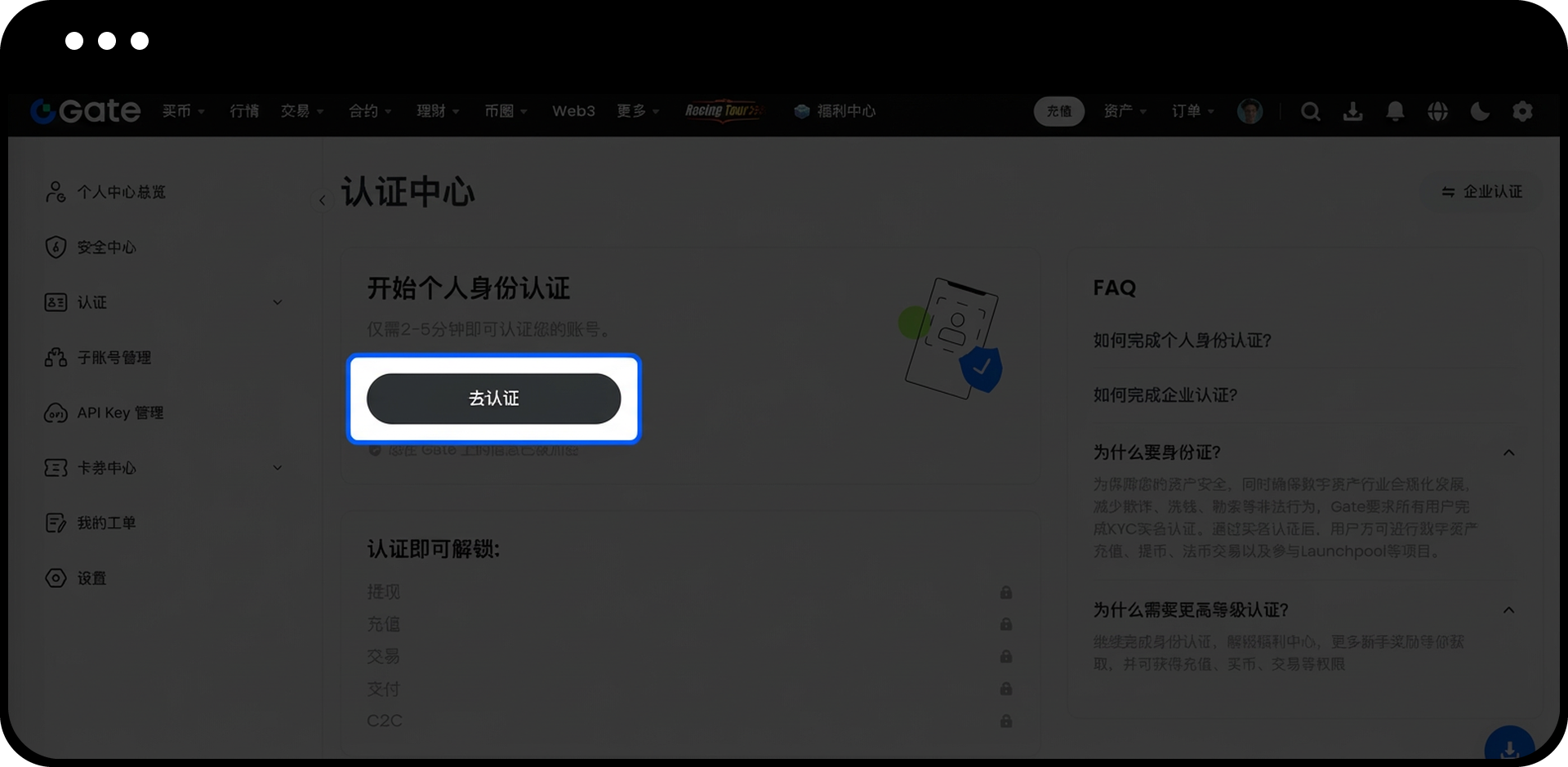
- Click [Verify Now] to begin the verification process.


Step 2: Enter Basic Information
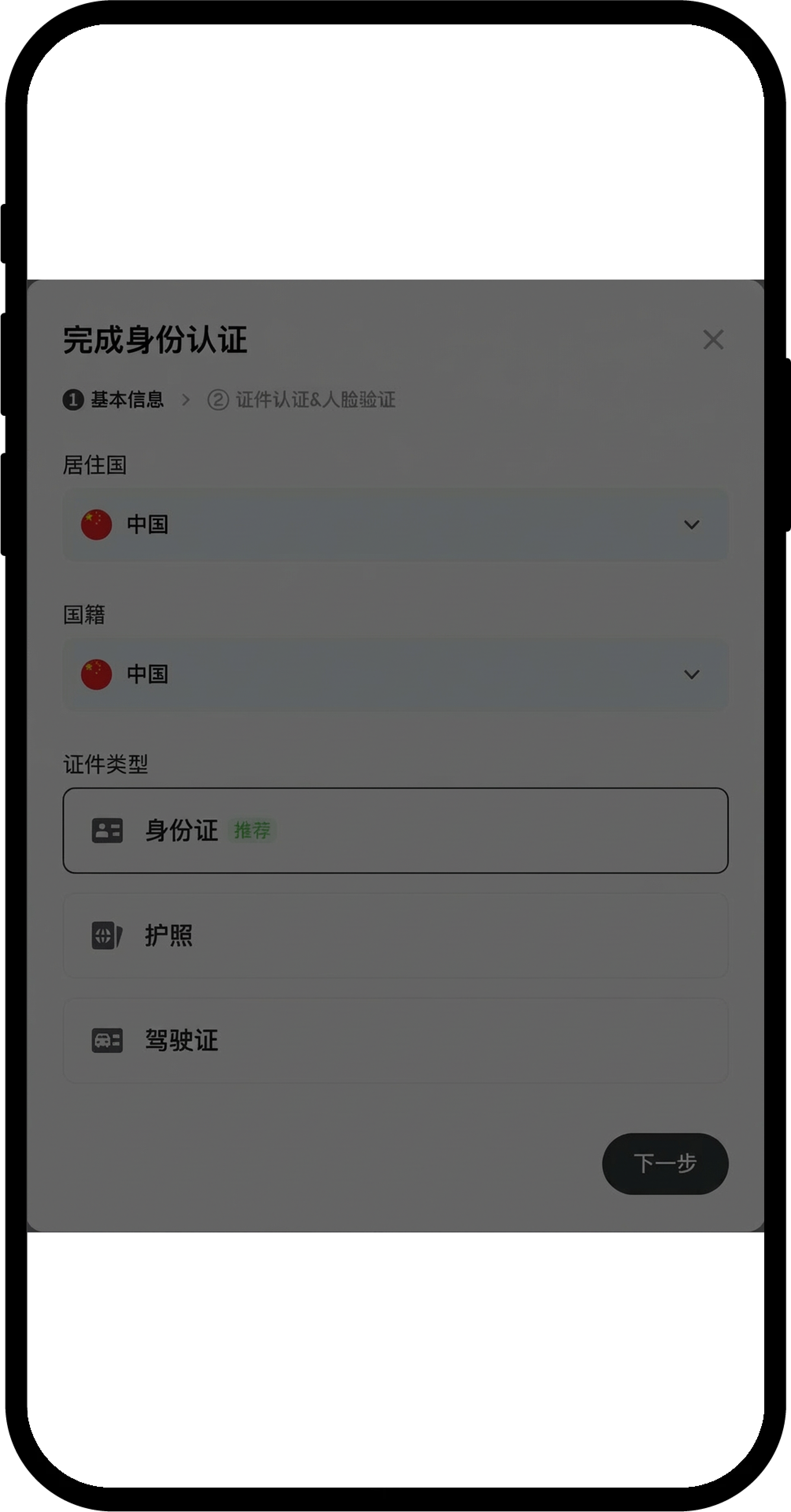
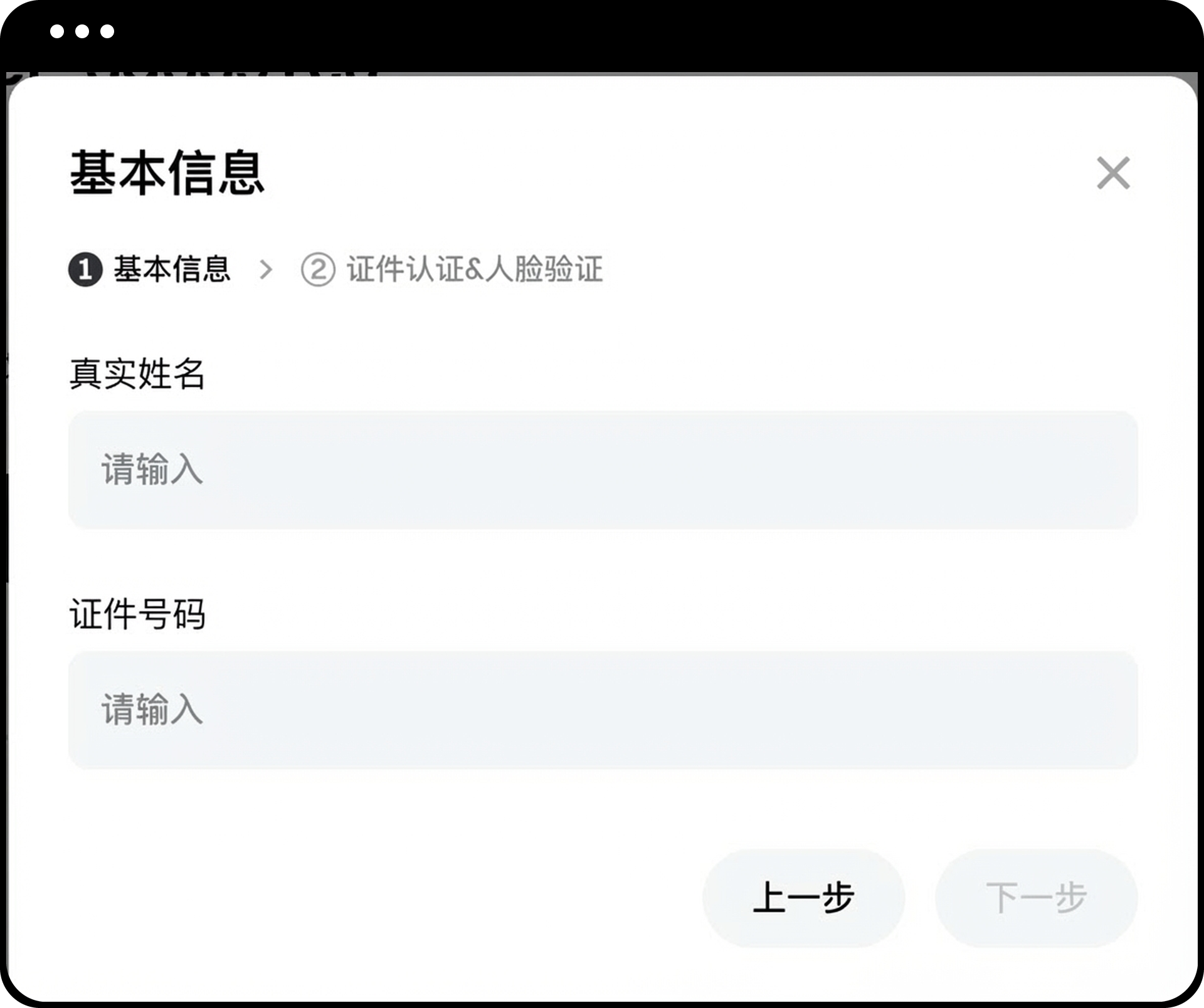
- Follow the on-screen instructions and fill in the required details:
- Nationality
- Country of residence
- Full name
- ID type
- ID number
- Review all information carefully to ensure accuracy.
- Click [Next] to proceed.


If any information is incorrect, click [Previous] to make changes.
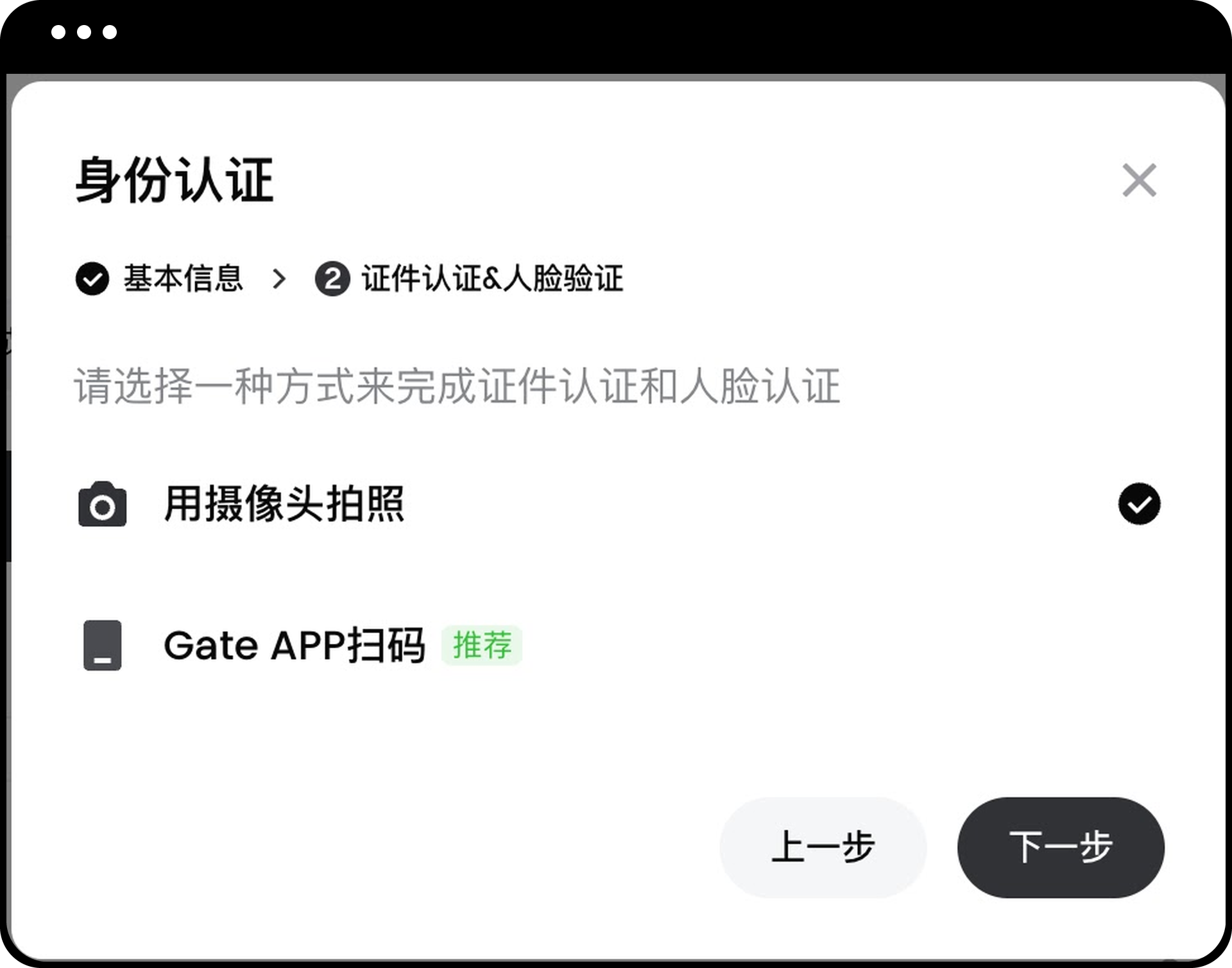
Step 3: Complete Identity Document Verification
- You will be redirected to the identity verification page.
- Choose one of the following verification methods:
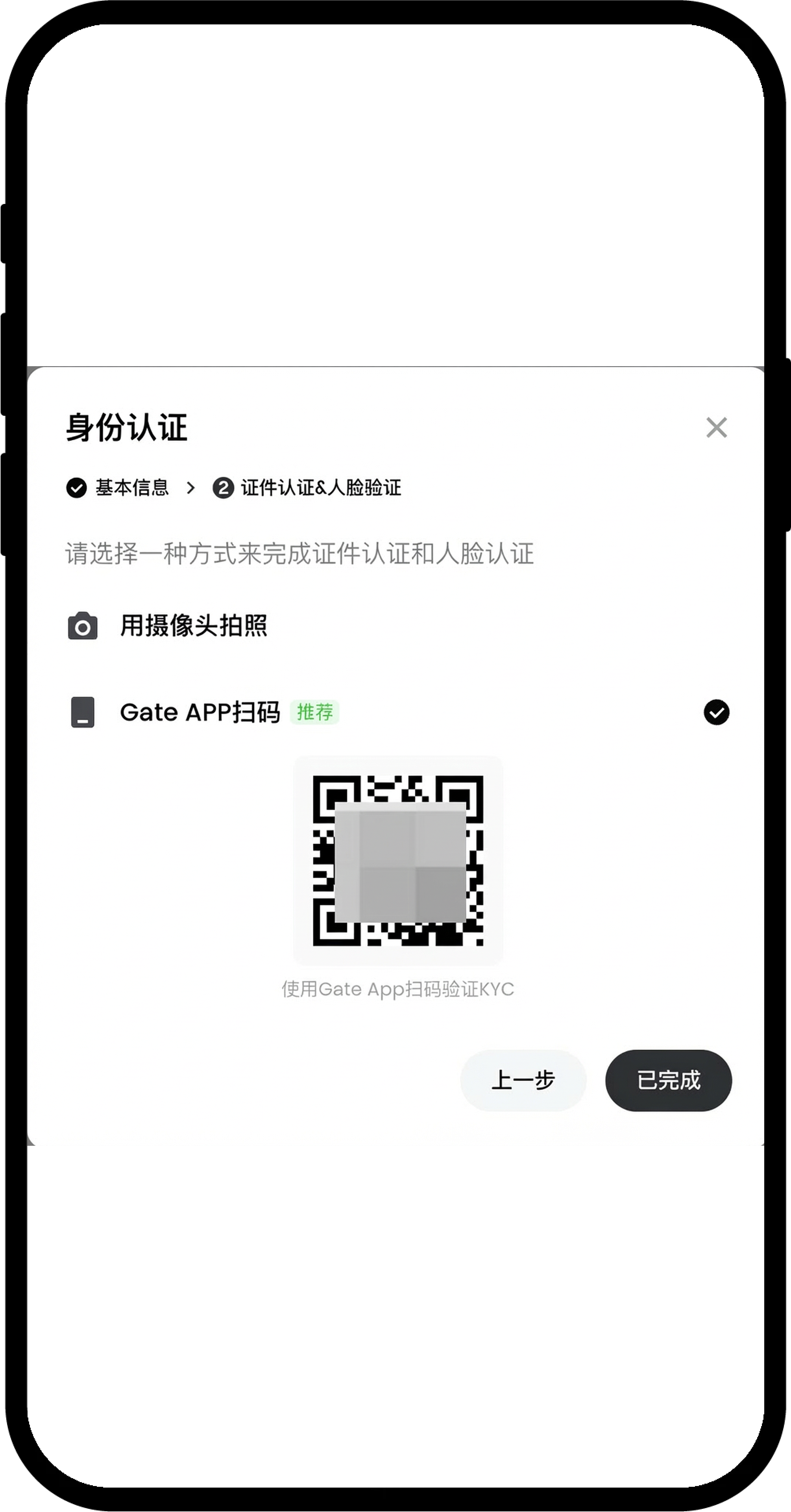
- [App QR Code] Verification
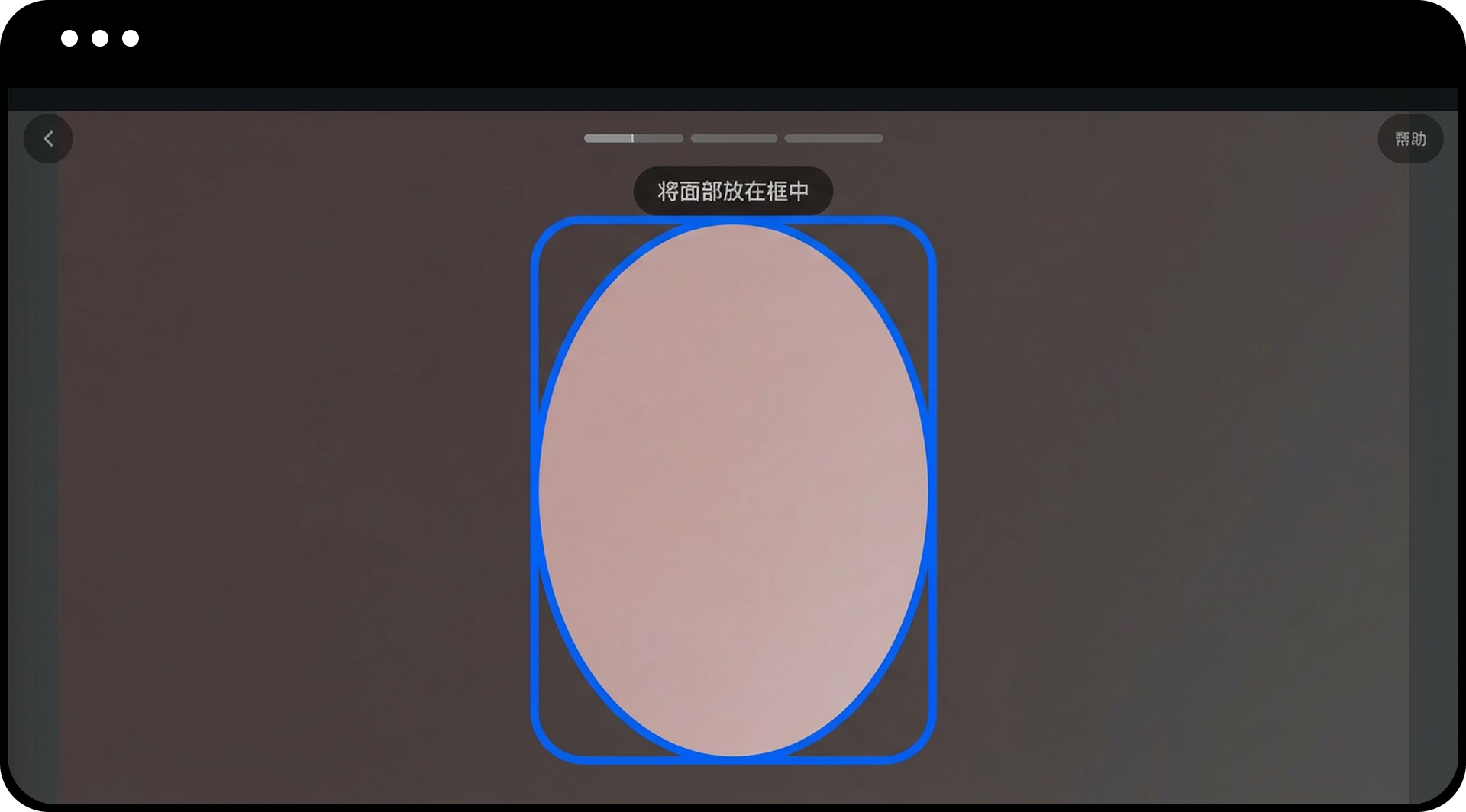
- [Web Facial Recognition Verification]

App QR Code Verification Interface:

Web Facial Recognition Verification Interface:

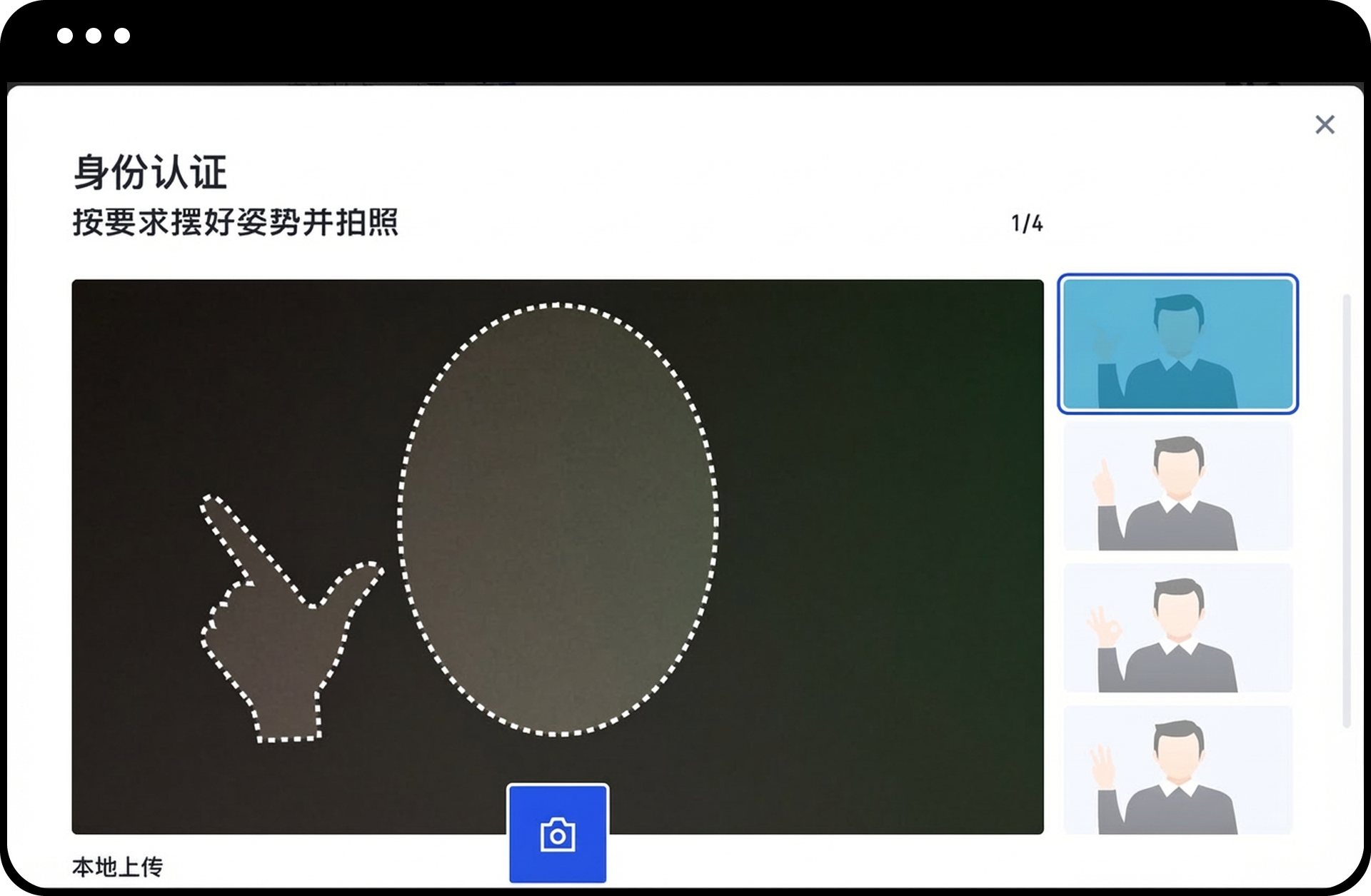
Alternative Option - Gesture Recognition:
If facial recognition is not possible, select [Gesture Recognition].

- Proceed with gesture verification, or click [Local Upload] to upload a gesture photo showing the last four digits of your Gate UID.
- Confirm the image is correct.
- Click [Submit].
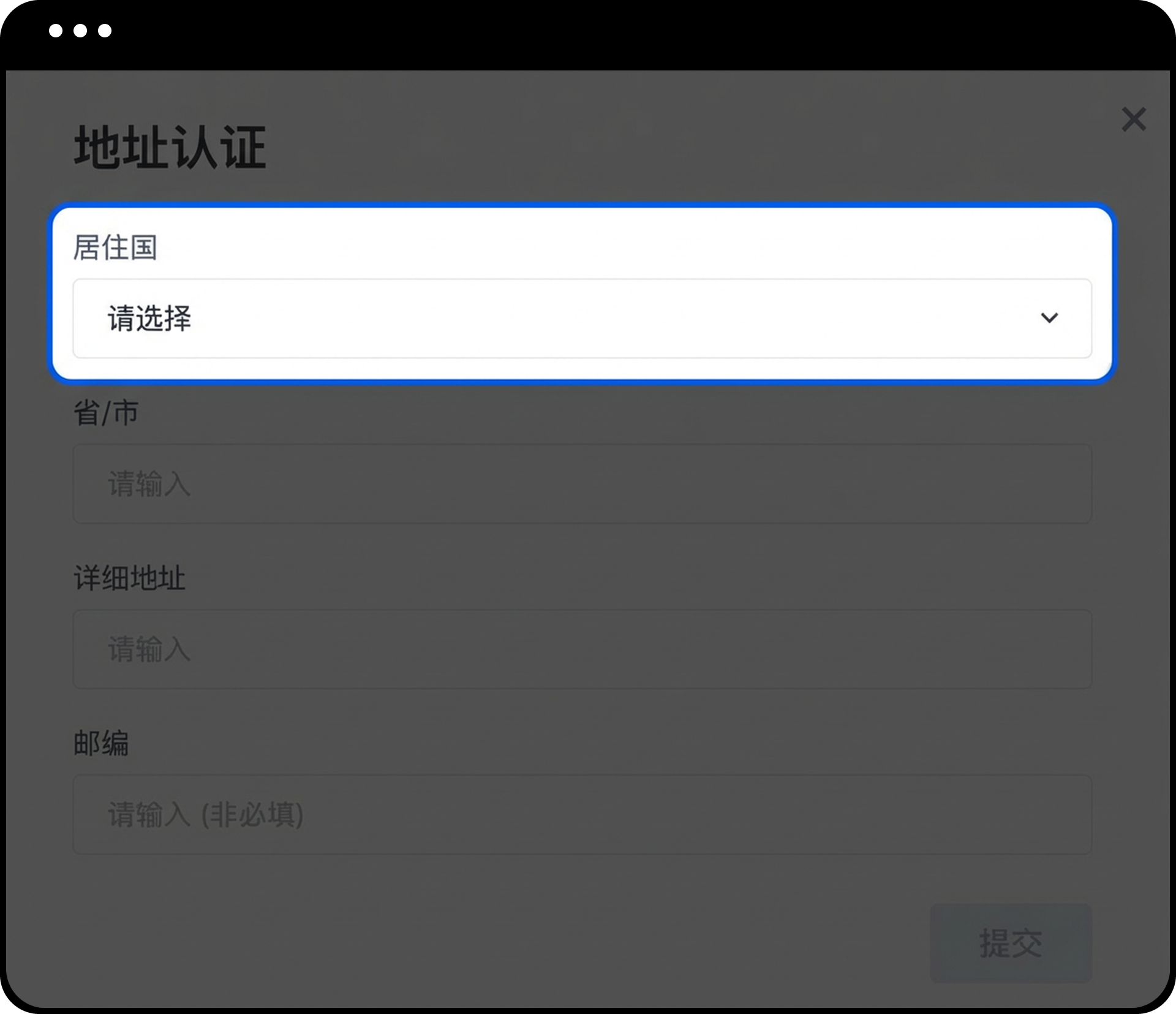
Step 4: Complete Address Verification
- Once your identity verification is approved, click [Verify Now] to proceed with address verification.

- Follow the on-screen instructions and complete the required information.
- Confirm all details are accurate.
- Click [Submit].
- Wait for the review to be completed.

Notes
- Your ID information must exactly match the basic information provided in Step 2.
- File size for uploaded documents must be between 10 KB and 4 MB. Supported formats: JPG or PNG.
- Photos must be clear, free of watermarks or stains. Gestures must be clearly visible, and the upper body must be fully shown.
- International users may upload photos on the web without video verification; domestic users are required to complete video verification.
- If the page becomes unresponsive after uploading verification information, refresh the page and try again, or switch to another browser and re-upload.
- If you see "KYC FAILED: Please try again in 5 minutes" or "Please verify in person," please submit a support ticket with your identity documents. This usually occurs when the ID document is older or cannot be automatically verified.
FAQ
Q1: Why is identity verification required on Gate?
A: Gate requires KYC verification to safeguard user funds, support compliant development of the digital asset industry, and reduce risks such as fraud, money laundering, and ransomware. After completing verification, you will be able to deposit and withdraw cryptocurrencies, conduct fiat transactions, and access other platform features.
Q2: What should I do if my verification fails?
A: If verification fails, check that your ID information exactly matches the details you provided. If you see error messages like "KYC FAILED: Please try again in 5 minutes" or "Please verify in person," submit a support ticket with your identity documents for assistance.
Q3: Can I use my mobile device for verification?
A: Yes, you can use the App QR Code verification method to complete the process on your mobile device by scanning the QR code displayed on the web page.
Q4: How long does the verification review take?
A: Review times may vary depending on submission volume. You will be notified once your verification is approved. If you do not receive a response within a reasonable timeframe, please contact customer support.
Disclaimer
The content provided herein is for reference and educational purposes only and does not constitute any financial, investment, trading, or legal advice, nor does it constitute an offer or solicitation to buy or sell any digital assets. Gate makes no express or implied representations or warranties regarding the accuracy, completeness, or timeliness of the information contained herein. Product features, interfaces, rules, and fee structures may be updated or adjusted at any time. Please refer to the latest announcements and the actual information displayed on the Gate platform for the most accurate details.
Digital asset investments involve significant risk, and prices may fluctuate substantially. You may lose the entire amount of your investment. Please make decisions cautiously based on your own financial situation and risk tolerance after fully understanding the associated risks. If necessary, you are advised to consult an independent professional financial or legal advisor.
For more information about potential risks, please refer to Gate's Risk Disclosure and User Agreement.