


Крок 1: Перейдіть на сторінку Розумного кредитного плеча
Спочатку запустіть застосунок Gate. На головній сторінці виберіть Gate Earn. Ви перейдете на сторінку Gate Earn, де зможете вибрати Розумне кредитне плече.
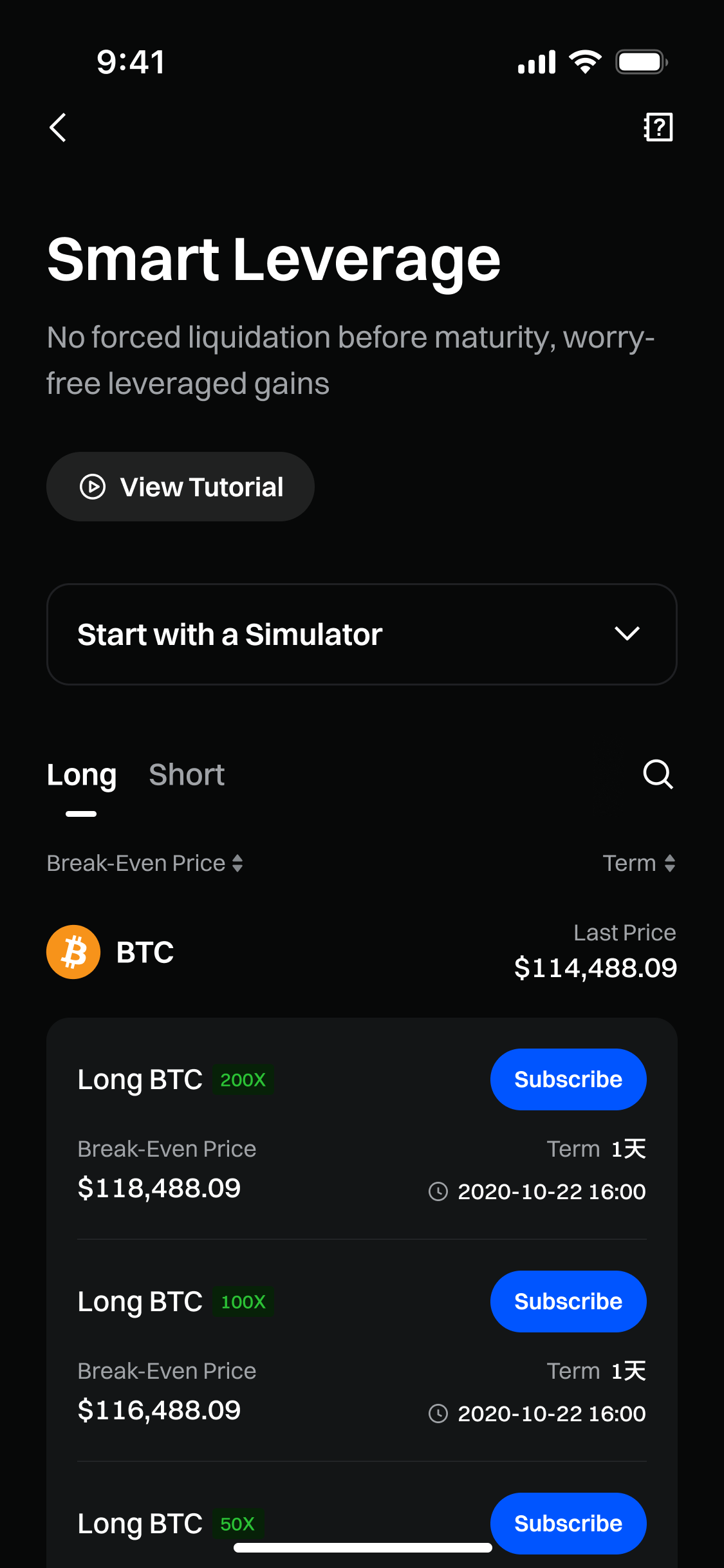
Крок 2: Виберіть план розумного кредитного плеча
Перегляньте доступні плани за монетою, напрямком, кредитним плечем, ціною беззбитковості та терміном і виберіть той, який хочете придбати. Потім натисніть Підписатися.
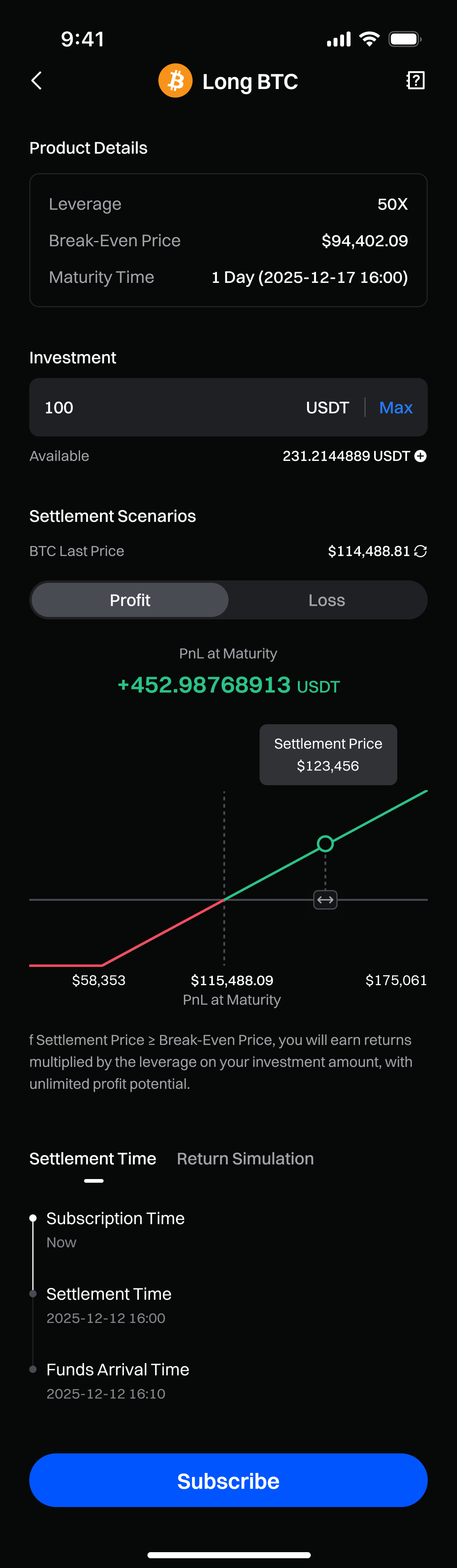
Поради: використовуйте симулятор, щоб оцінити потенційний прибуток і збиток (P&L), вибравши монету, указавши напрямок і ввівши суму інвестиції.
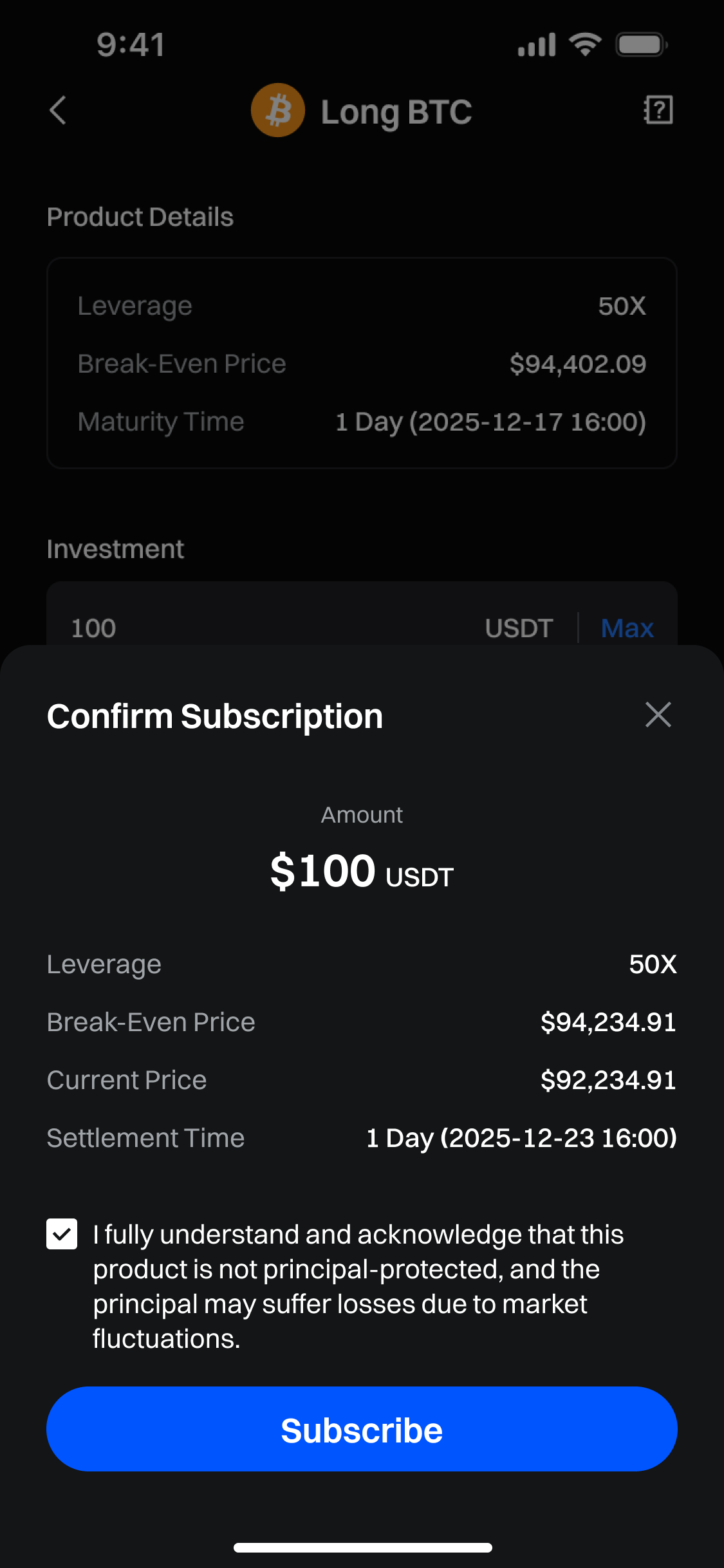
Крок 3: Створіть свій план Розумного кредитного плеча
Введіть суму, яку хочете інвестувати, і переконайтеся, що ви підтвердили всі вибрані параметри. Потім натисніть Підписатися.
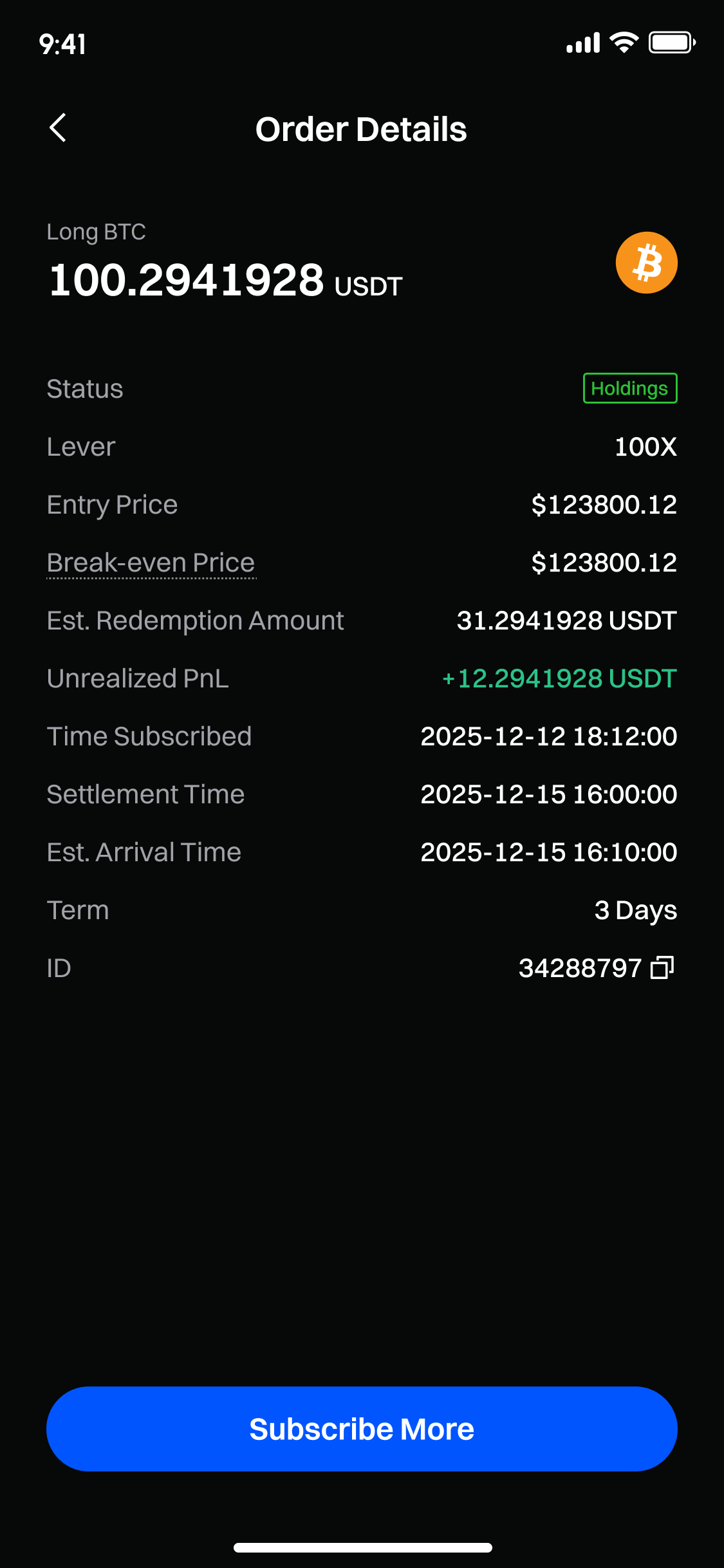
Крок 4: Перегляньте свої ордери
Після успішної підписки ви можете переглянути інформацію про свою позицію на сторінці «Активи».
Відмова від відповідальності
Наданий тут зміст призначений лише для ознайомлення та освітніх цілей і не є фінансовою, інвестиційною, торговою чи юридичною порадою, а також не є пропозицією або закликом купувати чи продавати будь-які цифрові активи. Gate не надає жодних прямих чи непрямих заяв або гарантій щодо точності, повноти чи актуальності інформації, що міститься тут. Функціонал продукту, інтерфейси, правила та структура комісій можуть оновлюватися або змінюватися у будь-який час. Для отримання найактуальнішої інформації звертайтеся до останніх оголошень і фактичних даних, що відображаються на платформі Gate.
Інвестиції в цифрові активи пов'язані зі значними ризиками, а ціни можуть суттєво коливатися. Ви можете втратити всю суму своїх інвестицій. Приймайте рішення обережно, враховуючи власний фінансовий стан і рівень толерантності до ризику після повного розуміння супутніх ризиків. За потреби рекомендується звернутися до незалежного професійного фінансового чи юридичного радника.
Щоб отримати додаткову інформацію про потенційні ризики, зверніться до Розкриття інформації про ризики та Угоди користувача Gate.
